Intelligent CV Resume Builder App: Create a Professional Resume on Your Phon
Read this article in EN English Malayalam ReaderRead naturally, reveal more as you go Intelligent CV Resume Builder App: Create a Professional Resume on Your Phon Creating a professional resume can be difficult, especially…
Intelligent CV Resume Builder App: Create a Professional Resume on Your Phon
Creating a professional resume can be difficult, especially if you are applying for your first job or updating an old CV. A good resume should present your education, experience, skills and achievements in a clear and professional format.
If you are looking for an easy way to create a resume directly from your smartphone, Intelligent CV – Resume Builder App is one option worth considering.
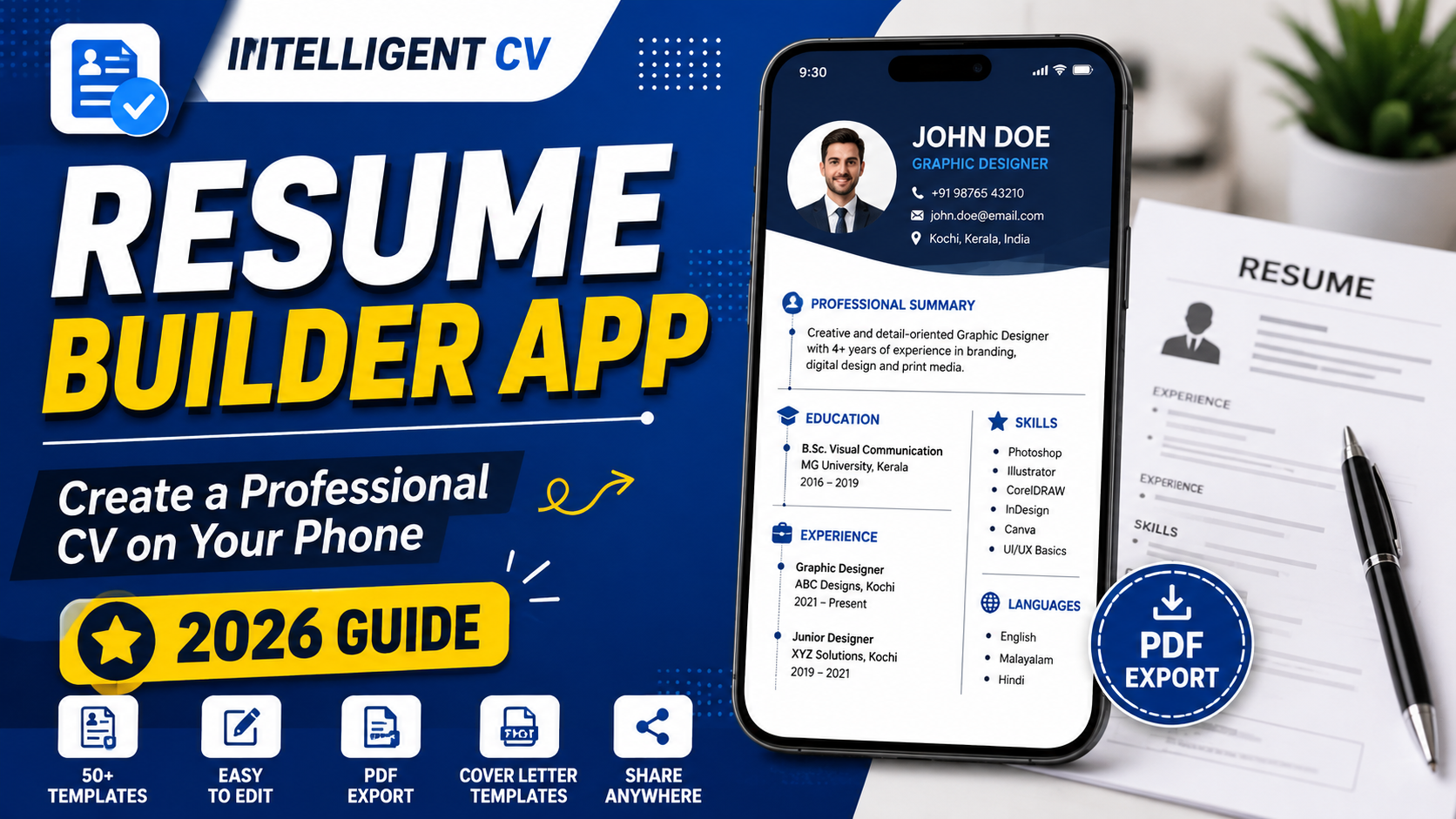
The app provides resume and CV templates, editing tools, cover-letter templates and PDF export features, allowing users to create and share a resume without having to design the document from scratch.
The app is available on Google Play and is currently listed as a free app with ads. Its Google Play listing was updated on May 25, 2026.
What Is the Intelligent CV Resume Builder App?
Intelligent CV is a mobile resume and CV creation app designed to help users create professional-looking documents for job applications.
Instead of creating a resume manually in a word processor, users can select a template, enter their personal and professional information, customize the layout and export the finished document as a PDF.
The app can be useful for:
- Freshers
- Students
- College graduates
- Job seekers
- Internship applicants
- Experienced professionals
- People looking to update an existing CV
According to its current Google Play listing, the app offers more than 50 resume templates and multiple resume formats.
Key Features of Intelligent CV
1. Resume and CV Templates
The app provides a collection of resume templates that users can customize according to their requirements.
Templates can be useful if you do not want to start your resume from a completely blank page.
You can choose a suitable design and then add your own:
- Name
- Contact information
- Career objective or summary
- Education
- Work experience
- Skills
- Projects
- Certifications
- Other relevant information
2. Resume Editor
The built-in editor allows users to modify different sections of their resume.
Depending on the selected template, you can customize elements such as:
- Text
- Font size
- Colors
- Section order
- Margins
- Other formatting options
This makes it easier to create a resume that matches your preferred style.
3. Cover Letter Templates
A cover letter can be useful when applying for jobs that require more than just a resume.
Intelligent CV also provides cover-letter templates that can be used to prepare a separate cover letter or a document that matches the resume design.
The current app listing confirms that cover-letter templates are included among its features.
4. PDF Resume Export
One of the most useful features is the ability to export the completed resume as a PDF file.
PDF is commonly used for job applications because the formatting is less likely to change when the document is opened on another device.
After creating the resume, you can save the PDF and use it for applications or share it through supported apps.
5. Print and Share Options
After creating your CV, the app provides options to save, print or share the document.
Depending on your phone and installed applications, you may be able to share the resume through services such as:
- Google Drive
- Other supported sharing applications
6. Resume Examples and Guidance
The app also includes guidance and examples intended to help users understand what information can be included in different resume sections.
This can be particularly helpful for students and freshers who are creating their first CV.
How to Create a Resume Using Intelligent CV
Creating a resume with the app is relatively straightforward.
Step 1: Install the App
Download the official Intelligent CV – Resume Builder App from Google Play.
Download Intelligent CV from Google Play
Always download the application from the official Google Play listing rather than from unknown APK websites.
Step 2: Choose a Resume Template
Open the app and select a resume or CV template that matches the type of job you are applying for.
A simple and professional design is generally preferable to a template with excessive graphics or decorative elements.
Step 3: Enter Your Personal Information
Add the information required for your resume, such as:
- Full name
- Phone number
- Email address
- Location
- Professional profile or summary
Only include information that is appropriate for a professional job application.
Step 4: Add Your Education
Enter your educational qualifications in a clear order.
You can include:
- Degree or course
- Institution
- Year of completion
- Relevant specialization
- Academic achievements, where useful
Freshers can give more space to education, projects, internships and relevant skills if they have limited work experience.
Step 5: Add Work Experience
If you have previous employment, add your relevant work experience.
For each position, include:
- Job title
- Company or organization
- Employment period
- Main responsibilities
- Important achievements
Try to describe your work using clear and specific statements rather than simply listing duties.
Step 6: Add Your Skills
Include skills that are relevant to the position you are applying for.
For example:
- Communication
- Microsoft Office
- Programming
- Graphic design
- Customer service
- Data analysis
- Project management
Avoid adding skills that you cannot confidently demonstrate during an interview.
Step 7: Review the Resume
Before exporting the final document, carefully check:
- Spelling
- Grammar
- Phone number
- Email address
- Employment dates
- Education details
- Formatting
- Section order
A professional-looking resume should be easy to read and free from avoidable errors.
Step 8: Export the Resume as PDF
Once the resume is complete, use the available export option to create a PDF version.
Open the PDF once before sending it to an employer to make sure that all pages and sections appear correctly.
Is Intelligent CV Free?
The current Google Play listing describes Intelligent CV as a free app with advertisements. The listing also indicates that some features or templates may involve ads or other app-specific limitations.
Because app features, advertisements and pricing can change, check the current Google Play listing before installing or relying on any particular feature.
Does the App Work Offline?
The current Google Play information indicates that the app supports offline resume creation and that resumes can be saved locally, while some features may require an internet connection.
The exact availability of individual features can depend on the current version of the app.
Can Freshers Use Intelligent CV?
Yes.
The app can be useful for freshers and students who do not have extensive work experience.
Instead of trying to fill the resume with unnecessary information, freshers can focus on:
- Education
- Internships
- Academic projects
- Technical skills
- Certifications
- Relevant achievements
- Volunteer experience
- Career objective or professional summary
A short and relevant resume is usually better than a long CV filled with unrelated information.
Can Experienced Professionals Use It?
Yes.
Experienced professionals can use a resume builder to update their existing CV or create a new version for a specific job application.
When updating an experienced resume, focus on measurable achievements and relevant experience rather than listing every task performed throughout your career.
Does a Resume Builder Guarantee a Job?
No.
A resume-building app can help you create and format a professional document, but no app can guarantee an interview or job offer.
The quality of the resume still depends on the information you provide, how relevant it is to the position and how clearly your experience and skills are presented.
Employers may also use Applicant Tracking Systems (ATS) or other screening processes, so applicants should make sure their resume is clear, accurate and relevant to the job description.
Tips for Creating a Better Resume
Using a template is only the first step. The information inside the resume is what matters most.
Keep It Relevant
Do not include every detail about your life. Focus on information that is relevant to the job.
Use Clear Language
Avoid complicated sentences. Write concise descriptions of your experience and achievements.
Check for Errors
Spelling and grammar mistakes can make an otherwise good resume look unprofessional.
Use a Professional Email Address
If possible, use an email address based on your name rather than an informal nickname.
Customize Your Resume
If you are applying for different types of jobs, consider adjusting your resume to highlight the skills and experience most relevant to each position.
Save a Master Copy
Keep an editable or master version of your resume so that you can update it later without starting from scratch.
Intelligent CV vs Creating a Resume Manually
A resume builder can save time because you do not need to design the entire document yourself.
| Feature | Intelligent CV | Manual Resume |
|---|---|---|
| Templates | Available | Need to create or find one |
| Formatting | Template-based | Done manually |
| PDF export | Available | Depends on the software |
| Cover letters | Available | Create separately |
| Editing | Built into app | Depends on the software |
| Mobile use | Designed for mobile | Depends on the application |
For users who want to create a CV quickly from a smartphone, a dedicated resume builder can be more convenient than starting with a blank document.
An Alternative: Google Docs Resume Templates
If you do not want to install a dedicated resume app, Google Docs is another option.
Google’s official documentation confirms that Google Docs provides templates, including resume templates, which can be selected from the Template Gallery and customized.
This can be a good option if you prefer creating and editing your resume from a document editor.
Is Intelligent CV Safe to Download?
The safest way to install the app is through its official Google Play listing.
Avoid downloading modified APK files from unknown websites. Third-party APKs can create unnecessary security and privacy risks.
Google Play’s current listing also provides the app’s data-safety information, including information about the types of data the developer says the app may collect or share. Users should review that information before installing the app.
Final Verdict
Intelligent CV can be a convenient option for students, freshers, job seekers and professionals who want to create a resume directly from their phone.
Its current feature set includes resume templates, editing tools, cover-letter support, PDF export and sharing options.
However, the app is only a tool. A professional template alone does not make a strong resume. The most important part is providing accurate, relevant and well-written information that matches the job you are applying for.
If you want a quick mobile-based solution, Intelligent CV is worth considering. If you prefer working in a traditional document editor, Google Docs is another simple option with built-in templates.
Keep Reading
Can You Really Make Money With Dropshipping? The Hidden Costs, Membership Fees, and Truth Behind Online Business Success Stories
Malayalam ReaderRead naturally, reveal more as you go Intelligent CV Resume Builder App: Create a Professional Resume on…
Lost Property Deed in Kerala? How to Get a Certified Copy Online
Malayalam ReaderRead naturally, reveal more as you go Intelligent CV Resume Builder App: Create a Professional Resume on…
How to Correct Errors in a Birth Certificate in Kerala Online (2026 Guide)
Malayalam ReaderRead naturally, reveal more as you go Intelligent CV Resume Builder App: Create a Professional Resume on…