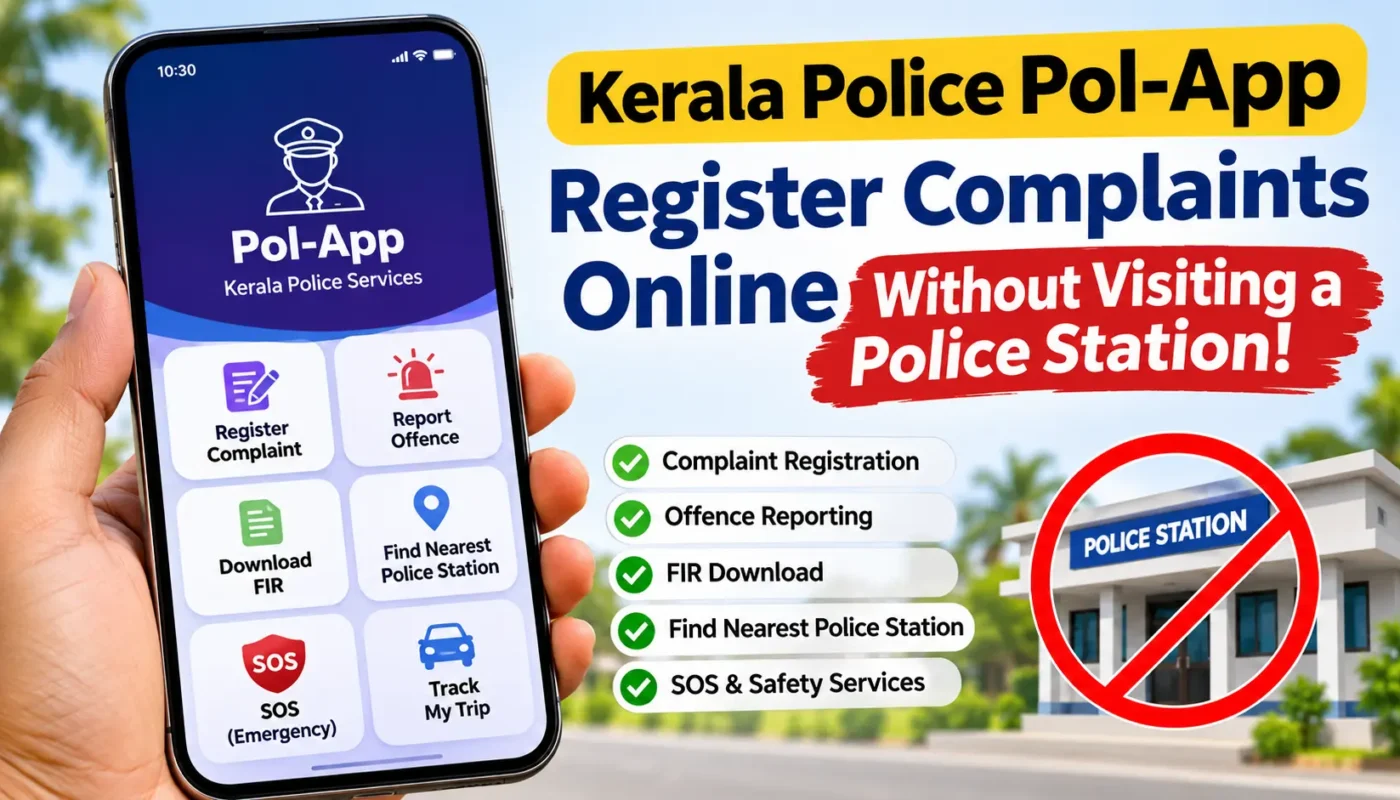
Did you know that you can submit complaints to Kerala Police without visiting a police station in person? With the official Pol-App (Kerala Police), citizens can access several police services directly from their smartphones.
Whether you want to report an offence, submit a complaint or service request, find your nearest police station, download an FIR, or access important safety services, the Pol-App makes it easier to connect with Kerala Police.
The app is available for both Android and iPhone users. In this guide, we will explain its important features, how to download it, and how to use it to submit complaints online.
What Is Kerala Police Pol-App?
Pol-App is the official mobile application developed for the public by Kerala Police. It is a digital initiative designed to make police services more accessible and convenient for citizens.
Instead of visiting a police station for every service, users can access several facilities through the app from their homes or anywhere with an internet connection.
The application brings together citizen services, safety features, police information, offence reporting, and other useful facilities in one place.
Key Features of Kerala Police Pol-App
Here are some of the important services available through the application.
1. Online Complaint Registration
Citizens can submit complaints and service requests through the digital services provided by Kerala Police. Depending on the nature of the complaint, users can select the appropriate service and provide the required information.
2. Offence Reporting
The app allows citizens to report certain categories of offences directly to the police. Users can submit descriptions and relevant photographs to help communicate information about an incident.
3. FIR Download
Users can access available FIR download facilities without having to visit a police station to obtain a copy.
4. Find the Nearest Police Station
Using location services, the app can help identify nearby and jurisdictional police stations. It also provides relevant contact information and navigation assistance.
5. Police Contact Information
Find contact details of Kerala Police offices and officers through the application.
6. SOS Emergency Service
The SOS facility is designed to help users request emergency assistance. It is particularly useful as a safety feature.
7. Track My Trip
This feature allows users to share their location with up to three pre-registered mobile numbers while travelling. It can be useful for women travelling alone and older adults.
8. Report Spam and Fraud Calls
Users can report certain suspicious or fraudulent phone numbers through the app. This helps authorities take appropriate action against reported spam and fraud-related calls.
9. Passport Verification Status
Users can check the status of their passport police verification through the available service.
10. Women and Child Safety Services
The application includes facilities designed to support women’s and children’s safety, including dedicated reporting and assistance features.
How to Register a Complaint Using Kerala Police Pol-App
Follow these general steps to submit a complaint or report an offence through the application.
Step 1: Download the Application
Download Pol-App from the Google Play Store or Apple App Store using the official links provided below.
Step 2: Open the Application
Launch the app on your smartphone and complete the required registration or login process.
Step 3: Select the Appropriate Service
Look for the relevant option under Citizen Services, Complaint Registration, Offence Reporting, or other available service categories.
Select the option that matches your requirement.
Step 4: Enter Complaint Details
Provide the required information, such as:
- Your name and contact details.
- Details of the incident.
- Date and location of the incident.
- A clear description of what happened.
- Relevant supporting information.
Step 5: Upload Supporting Documents
If the selected service allows attachments, upload relevant photographs or documents to support your complaint.
Step 6: Submit Your Complaint
Review all the information carefully and submit the application.
Save the acknowledgement or reference number provided after submission. You may need it to check the status of your request.
Important: The exact options and procedures may vary depending on the type of complaint and the latest version of the application. Some cases may require additional information or further action by the concerned police authorities.
Download Kerala Police Pol-App for Android
If you are using an Android smartphone, you can download the official Kerala Police application directly from the Google Play Store.
App Name: Pol-App (Kerala Police)
Developer: Kerala Police
Platform: Android
Download Kerala Police Pol-App for iPhone (iOS)
iPhone users can also access the official Pol-App. The application is available through Apple’s App Store.
App Name: Pol-App (Kerala Police)
Developer: Kerala Police
Platform: iOS / iPhone
Make sure the developer name is Kerala Police before installing the application.
Alternative Method: Register Complaints Through the THUNA Portal
If you do not want to install a mobile application, you can also use the official THUNA Citizen Portal of Kerala Police.
THUNA provides online access to various police-related services, including complaint registration and service requests.
To use the portal:
- Visit the official THUNA website.
- Create an account or log in.
- Select the relevant service.
- Enter the required details.
- Upload supporting documents, if requested.
- Submit your application.
Official Website: https://thuna.keralapolice.gov.in/
Important Things to Remember
- Always download Pol-App from the official Google Play Store or Apple App Store.
- Provide accurate information when submitting a complaint.
- Keep your complaint acknowledgement or reference number safe.
- Do not share your login credentials or personal information with unknown people.
- Online complaint submission does not mean that every complaint will be resolved immediately. The concerned police authorities will examine the request and take appropriate action.
- For immediate police assistance during an emergency, call 112 instead of waiting for an online complaint response.
Frequently Asked Questions (FAQs)
1. Can I register a police complaint without visiting a police station?
Yes. Kerala Police provides online complaint and service-request facilities through Pol-App and the THUNA Citizen Portal. Depending on the nature of the complaint, additional procedures may apply.
2. Is Kerala Police Pol-App free to download?
Yes. The official application is available as a free download from the Google Play Store and Apple App Store. Certain police services may involve applicable fees.
3. Is Pol-App available for iPhone users?
Yes. The official Pol-App is available for iPhone users through the Apple App Store.
4. Can I download an FIR using Pol-App?
Yes. The application provides an FIR download facility for eligible and available records.
5. What is the official website for online police complaints in Kerala?
The official THUNA Citizen Portal is available at https://thuna.keralapolice.gov.in/.
6. What is the emergency police helpline number in Kerala?
For emergency police assistance, call 112.
Conclusion
Kerala Police Pol-App is a useful digital service that helps citizens access important police services without unnecessary visits to police stations.
From online complaint facilities and offence reporting to FIR downloads, emergency services, and travel safety features, the application offers several useful tools for the public.
If you live in Kerala, installing this official application on your smartphone can be helpful in many situations.
Download the Kerala Police Pol-App today and make use of the digital services available to you. Share this information with your friends and family so they can also benefit from these facilities.